

Access Control System Security for your AZ Property
The security landscape has transformed dramatically from the traditional lock and key approach. If you’re running any type of facility like a business office, warehouse, school, healthcare clinic, or residential building, knowing exactly who’s entering and leaving your premises matters more than ever. That’s precisely what an access control system security helps you achieve.
What makes access control security so valuable is how it safeguards your people, assets, and restricted zones without creating hassles for daily operations. The modern systems available today are both budget-friendly and remarkably easy to expand as your needs grow, all while keeping management straightforward.
Throughout this blog, you’ll discover what access control system security really means, the way it operates, why it matters for your AZ property, and the key factors to weigh when you’re ready to upgrade your building’s security setup.
What Is Access Control System Security?
Access control system security refers to the methods and technologies used to manage who can enter a building, room, or restricted area—and under what conditions.
In simple terms, access control systems help you answer questions like:
- Who is allowed to enter this building?
- When are they allowed to enter?
- Which doors or areas can they access?
- What happens if someone tries to enter without permission?
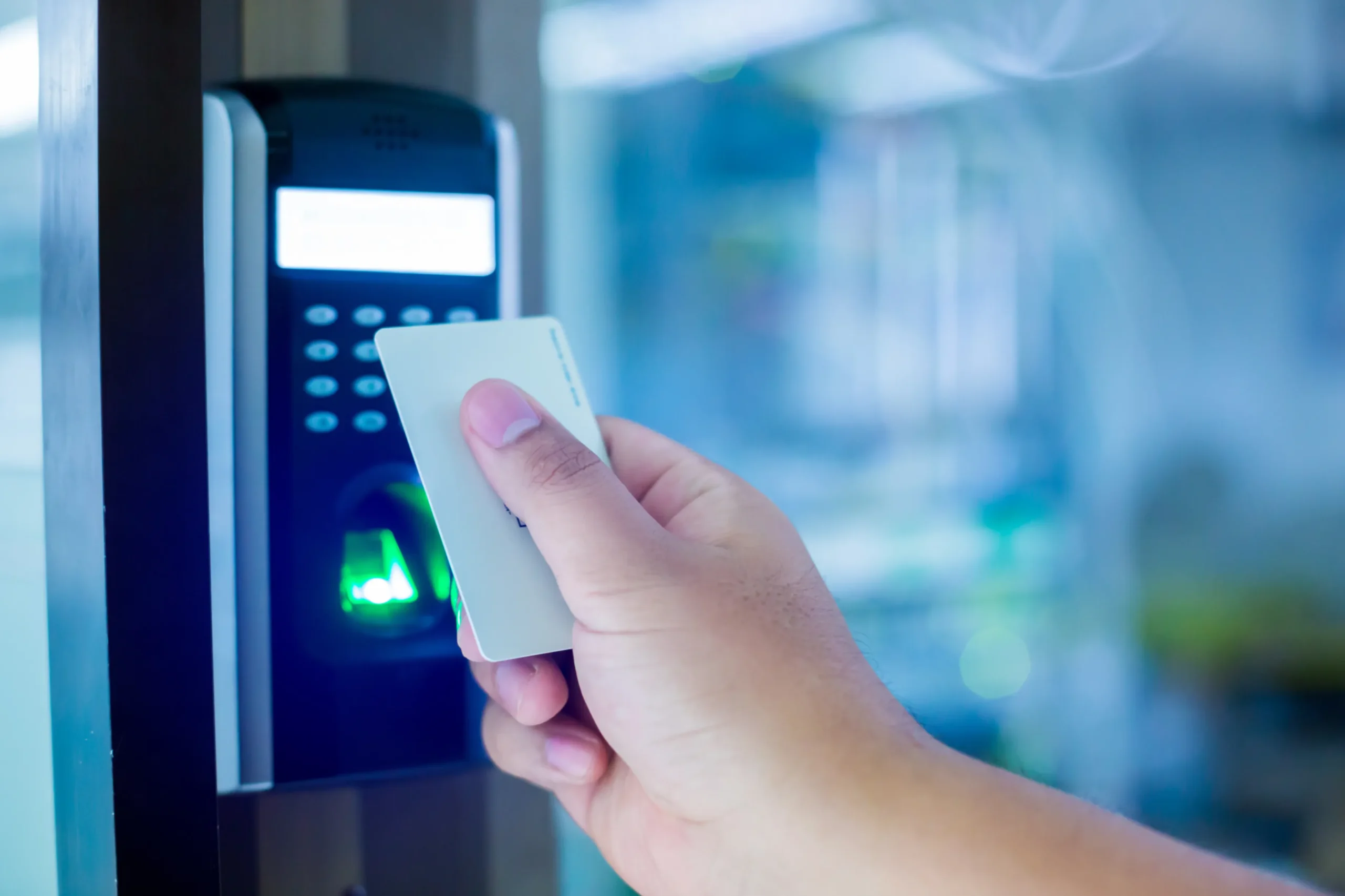
Traditional keys can be copied, lost, or stolen. Access control systems use key cards, PIN codes, mobile apps, or biometrics. These credentials grant or deny access.
Why Access Control Security Matters More Than Ever
Security threats are not always obvious. Many incidents happen due to weak access control. Examples include unlocked doors, missing keys, or ex-employees still having access.
Here’s why access control security is so important:
1. It Prevents Unauthorized Entry
The most immediate benefit is clear: access control prevents unwanted visitors from entering restricted areas.
Whether it’s a storage room with expensive inventory or an office containing confidential documents, controlling entry reduces risk.
2. It Eliminates Key-Related Problems
Keys can create major security gaps. Consider how often these issues happen:
- Keys get lost
- Employees forget to return keys after leaving.
- Someone duplicates a key without permission.
- Changing locks becomes expensive and time-consuming.
Access control systems solve these issues. Administrators can instantly deactivate access without replacing hardware.
3. It Helps You Track Activity
Most access control systems keep logs of entry attempts, which helps you:
- See who entered and when.
- Monitor patterns.
- Investigate incidents quickly.
- Strengthen accountability across staff and contractors.
This tracking feature is very useful in industries that require compliance.
4. It Improves Employee and Visitor Safety
A safer space creates confidence. Access control can prevent unknown individuals from entering sensitive or crowded environments, such as:
- schools
- office buildings
- hospitals
- apartment complexes
- industrial facilities
Access control protects both property and the safety of all occupants.
5. It Boosts Professional Image
Your building’s security system is part of your brand experience. Modern access control creates a cleaner, more professional process for:
- employees
- customers
- vendors
- delivery staff
It shows your commitment to safety and organization.
How Access Control System Security Works
Most access control systems follow a basic process:
Step 1: A Person Requests Entry
A person requests entry by presenting their access method at the door, such as scanning a card, entering a PIN, using a mobile credential, or providing a fingerprint. The system captures the request and starts verification immediately.
Step 2: The System Confirms Their Identity
The access control system verifies credentials to identify the person. It compares the card, code, phone signal, or biometric data against the authorized user database. If the credential matches an approved user, the system grants the next step.
Step 3: The System Checks Permissions
After confirming identity, the system checks whether the user has permission to open that door at that time under the current security settings. If permissions are valid, the system unlocks the entry point.
Step 4: The System Grants or Denies Access
If the user meets all requirements, the system grants access and unlocks the door for a short time. If the person is not approved, access is denied, and the door remains locked. This step prevents unauthorized entry while keeping approved access fast and smooth.
Step 5: The System Records the Event
The access control system logs who attempted access, where it happened, and when, whether the entry succeeds or fails. These logs support security reviews, audits, and investigations if needed.
Common Types of Access Control Systems
Access control isn’t one-size-fits-all. The right setup depends on your environment, security goals, and budget. Here are the most common types:
1. Key Card Access Systems
These are widely used in offices, schools, hotels, and commercial buildings. Users tap or swipe a card to enter.
Benefits:
- Affordable and common
- Easy to issue and replace
- Works well for many entry points
2. PIN Code Access Systems (Keypads)
Users enter a unique access code into a keypad to unlock doors.
Benefits:
- No physical credential to lose
- Simple and familiar
- Useful for shared spaces or temporary access
Potential drawback: Codes can be shared if not managed properly.
3. Mobile Access Control
Instead of a card or key fob, users unlock doors using their smartphone via Bluetooth, NFC, or cloud systems.
Benefits:
- Convenient and modern
- Great for businesses with mobile teams
- Easy to manage remotely
- Reduces the need for physical cards
4. Biometric Access Control
Biometric systems verify identity using fingerprints, facial recognition, or iris scans.
Benefits:
- Very secure
- Hard to fake or share
- Useful in high-security areas
Biometrics are often used in labs, government buildings, and areas with strict security requirements.
5. Cloud-Based Access Control Systems
Cloud systems allow administrators to manage access from a web dashboard instead of a dedicated local computer.
Benefits:
- Control access from anywhere.
- Simpler updates and scaling.
- Great for multiple locations.
- Often integrates with other systems.
Cloud-based access control is growing fast because it’s flexible and cost-effective.
Physical Access Control vs. Logical Access Control
When people hear “access control,” they often think of doors and buildings—but access control also applies digitally.
Physical Access Control
Physical access control is designed to manage and restrict entry into real-world locations such as offices, buildings, and secured rooms. It ensures that only the right people can access particular zones, boosting safety and reducing unwanted entry. Common examples include:
- key cards for doors
- gate access systems
- secured elevators
Logical Access Control
Logical access control focuses on protecting digital environments such as computer systems, networks, and online platforms. It ensures that only approved users can log in, view data, or perform certain actions within software systems. Common examples include:
- login credentials
- two-factor authentication
- user permissions in business software
Many organizations use both, but this article focuses primarily on access control system security for physical spaces.
 What Are the Key Components of an Access Control System?
A secure access control setup typically includes:
Access Credentials
These are what users present to request entry, such as:
- key cards
- fobs
- PIN codes
- smartphone credentials
- fingerprints or face scans
Access Control Readers
A reader is the device that scans the credential.
Examples:
- card readers
- keypad readers
- biometric scanners
Door Locks and Hardware
The system connects to a locking mechanism, such as:
- electronic strikes
- magnetic locks
- smart locks
- gate controllers
Control Panel (or Controller)
This acts like the “brain” of the system, processing requests and unlocking doors when permitted.
Access Management Software
This is what admins use to manage:
- user profiles
- entry schedules
- door permissions
- audit logs and activity reports
Many modern systems offer an easy-to-use dashboard that doesn’t require technical expertise.
Access Control Security Levels: Which One Do You Need?
Different organizations require different levels of protection. Access control can be designed to match your risk level.
Basic Security
Perfect for small businesses or low-risk areas.
- one door access system
- simple key card or keypad
- basic user permissions
Medium Security
Common for offices, medical facilities, and schools.
- multiple doors and zones
- schedules and access groups
- reporting and activity logs
- visitor management options
High Security
Needed for sensitive environments.
- biometrics
- multi-factor access (card + PIN)
- strict access schedules
- advanced monitoring and audits
Your security provider should help you choose the right level without overselling unnecessary features.
Benefits of Access Control System Security for Businesses
Access control isn’t just about security. It also improves operations and creates long-term value.
Better Control Over Who Has Access
With access control systems, you get complete authority over who walks through your building’s doors or steps into restricted zones. Instead of handing out physical keys and hoping they get returned, you manage everything from one centralized system. This helps reduce security risks and improve accountability across your organization.
Easier Employee Onboarding and Offboarding
With an access control system, adding a new employee is quick and simple. You can grant access in minutes without changing locks or distributing multiple keys. The moment an employee leaves your organization, you can revoke their access privileges immediately to keep your facility secure.
Flexible Access Schedules
Access control systems let you assign entry permissions based on specific times and roles. You can create rules such as:
- staff can enter only during working hours
- The cleaning crew can access specific areas at night
- contractors have temporary access for a project timeframe
Reduced Theft and Loss
Controlled entry lowers the risk of theft by limiting access to sensitive areas. It helps prevent both internal and external incidents by guaranteeing only authorized individuals can enter inventory or equipment rooms. This added control protects valuable assets and reduces costly losses.
Stronger Compliance and Documentation
Many industries require clear security procedures and documented access records. Access control logs provide detailed proof of who entered, when they entered, and which areas they accessed. This makes audits easier and supports investigations when issues arise.
Access Control and Video Surveillance: A Powerful Combo
For even stronger security, many businesses pair access control with CCTV systems.
When combined, you can:
- See who entered
- Verify entries visually
- review incidents faster
- improve overall security coverage
Some modern systems integrate both access and video into one dashboard, which is great for management.
Access Control System Security Best Practices
Even the best access control system needs smart setup and maintenance. Here are the key best practices:
Use Unique Credentials for Each Person
Avoid shared codes or generic cards. Each user should have their own credential.
Set Role-Based Access
Not everyone needs access to everything. Create access levels based on roles, such as:
- reception staff
- managers
- IT team
- maintenance crew
Enable Access Logs and Regular Reviews
Make it a practice to review access history and spot unusual activity.
Remove Access Immediately When Someone Leaves
This is one of the most important steps. Delayed deactivation is a common security risk.
Secure the Access Management Software
Protect the admin dashboard with:
- strong passwords
- limited admin access
- Multi-factor authentication, if available
Plan for Emergencies
Many systems can integrate with emergency plans like:
- fire alarm unlock features
- lockdown modes
- emergency door release compliance
What to Look for When Choosing an Access Control System
If you’re considering investing in access control, here are the key features to prioritize:
Ease of Use
You shouldn’t need IT support every time you add a new employee.
Scalability
Pick a solution that scales alongside your company’s expansion:
- more doors
- more users
- multiple locations
Integration Options
Good systems integrate with:
- cameras
- alarm systems
- visitor management
- HR or employee databases
Remote Management
Being able to unlock a door or update access permissions from anywhere is a huge benefit.
Reliability and Support
Strong customer support and sustained reliability matter. Security systems aren’t something you want to replace every year.
Are Access Control Systems Worth It?
For most businesses and property managers, the answer is yes.
Access control system security offers a long-term return by:
- reducing theft and break-ins
- minimizing key replacement costs
- improving staff management
- boosting safety and compliance
- making a smoother daily flow
Even small upgrades—like adding controlled access to just one or two critical doors—can make a noticeable difference.
Conclusion
So, what is access control system security? In short, it’s the smart, reliable way to control who gets in, when they get in, and where they’re allowed to go.
Instead of using outdated keys and manual tracking, access control systems give you visibility, control, and peace of mind. Whether you manage a growing business, a busy facility, or a residential property in Arizona, access control is one of the most practical investments you can make in safety.
Ready to upgrade your security with a smarter access control solution?
Southwest Integrated Systems delivers reliable, professional access control systems designed to protect your people, operations, and property in Arizona. Contact Southwest Integrated Systems today to schedule a consultation, then take the first step toward stronger, more controlled security.
